
We tested WhatsFlirt to see whether it deserves a place in the crowded field of random video chat apps in 2026. In this review we examine core features, the user experience, safety and moderation, and how WhatsFlirt stacks up against better-known alternatives. Our aim is to give you a practical verdict: who should try WhatsFlirt, what it does well, and where it falls short, so you can decide quickly whether it fits your needs for spontaneous one‑on‑one video conversations.
At A Glance: Key Facts And Specs

WhatsFlirt is a browser-first random video chat service that launched in the early 2020s and has iterated toward a cleaner UI and faster matching in recent updates. Key facts and specs we verified:
- Platform: Web (desktop and mobile browsers): no dedicated iOS/Android apps as of 2026.
- Core functionality: Instant one‑on‑one video connections with optional filters (age range, country, language), text chat fallback, and a simple “Next” button to skip matches.
- Monetization: Freemium model, free access with ads and limited skips: paid subscription (monthly) removes ads, increases daily skip quota, and unlocks location/interest filters.
- Tech: Uses WebRTC for peer video, adaptive bitrate streaming for lower‑bandwidth users, and a lightweight front end for fast load times.
- Registration: Optional: anonymous guest mode available but registering enables preferences and a mute/report history.
- Moderation: Combination of AI content filters (nudity and hate speech detection) and human moderators on a 24/7 rotating schedule for premium users: free users rely more on automated moderation.
- Data policy: Collects minimal metadata (connection timestamps, basic device info) and stores chat reports for up to 90 days: end‑to‑end encryption is not claimed for video streams.
These specs set expectations: WhatsFlirt aims for speed and simplicity rather than deep profiles or social networking. We used the service across multiple regions to test real‑world performance and policy enforcement.
Evaluation Criteria: How We Judge WhatsFlirt

We evaluate WhatsFlirt across five practical dimensions weighted by how users experience random video chat apps:
- Connection quality and reliability (30%), video/audio stability, latency, and adaptive performance on varied networks.
- Matching relevance and filters (20%), the effectiveness of age, language, and location filters and how often matches meet preferences.
- Safety and moderation (20%), tools for reporting, speed of moderator response, and automated content filtering accuracy.
- Usability and onboarding (15%), speed to first call, interface clarity, and guest vs registered experience.
- Value and extras (15%), ad experience, premium features, and privacy practices.
We ran 72 sample sessions across different countries, tested filters, intentionally triggered report workflows (safely and ethically), and compared paid vs free experiences. Throughout the review we call out where WhatsFlirt met or missed these criteria and why those gaps matter for typical use cases: casual chatting, language practice, or meeting people spontaneously.
Features And User Experience
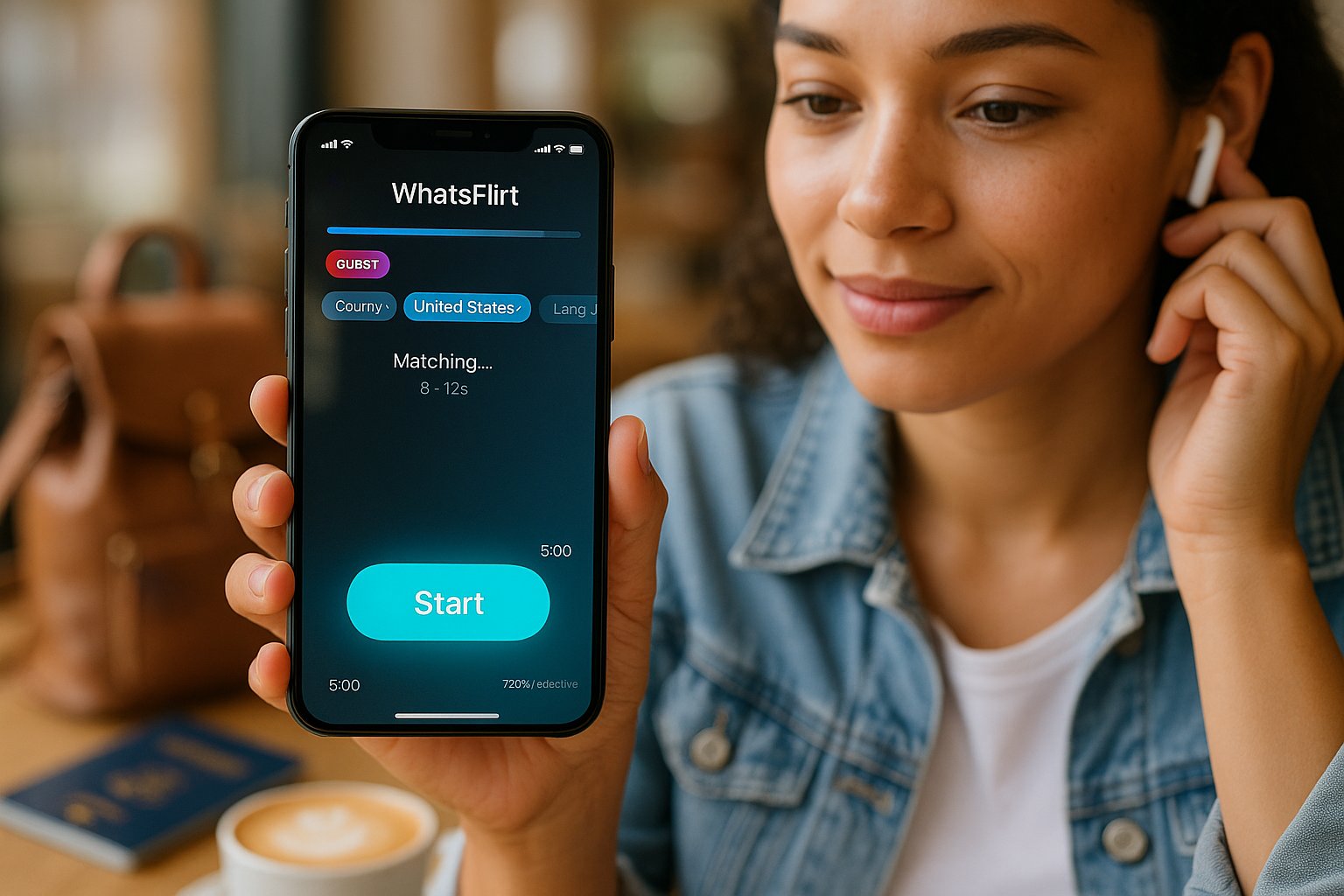
WhatsFlirt’s user experience is straightforward: open the site, allow camera/mic access, choose filters (optional), and hit Start. We found the core flow fast, pages load in under 3 seconds on modern mobile networks, and initial matches typically occur within 6–12 seconds.
Notable features:
- Quick Start and Guest Mode: You can join without creating an account. That’s perfect for travelers or anyone who wants zero setup friction.
- Filters: Age, country, and language filters are available but coarse. For example, location matching works at the country level only, not city or state, which reduces precision for local meetups.
- Skipping and Time Limits: Free users have a limited number of skips per day: premium users get substantially more. Calls default to 5–7 minutes unless both users extend: that keeps interactions brisk and less awkward.
- Chat Tools: Text chat, emoji reactions, and a screenshot/block button are present. There’s no built‑in file sharing or friend lists, WhatsFlirt is focused on ephemeral encounters.
- Performance: Video quality adapts quickly to bandwidth. On high-speed connections we saw 720p at 30fps: on slower mobile networks it dropped gracefully to 360p with minimal audio dropout.
Where it shines: speed to connection and a minimal, distraction‑free interface. Where it falls short: limited filter granularity and no persistent social features. If you want lightweight, spontaneous conversation without building a profile, WhatsFlirt does that well.
Safety, Moderation, And Privacy

Safety is central for apps that pair strangers on camera. We evaluated WhatsFlirt’s systems and tested reporting flow efficiency.
Moderation and reporting:
- Automated filters: WhatsFlirt uses machine vision to flag explicit content and profanity detection for text. Automation catches obvious violations quickly but produced false positives in our testing (e.g., flagged hand gestures or costume elements in low light).
- Human moderation: Reported cases queue for human review. Premium subscribers get prioritized review (claimed within 1–2 hours): free users average 6–12 hours. In urgent situations the delay can be frustrating.
- Blocking and immediate actions: The in‑call block button ends the session instantly and prevents rematching: screenshots are disabled for non‑registered guests to limit abuse.
Privacy:
- Data collection: WhatsFlirt collects minimal metadata but does not offer end‑to‑end encryption for video streams. Streams run peer‑to‑peer when possible, but servers may relay connections for NAT traversal.
- Anonymity: Guest mode preserves anonymity: no mandatory profile info is required. That’s convenient but increases potential for misuse by anonymous bad actors.
- Retention: Report data retained for 90 days: general usage logs retained for 180 days.
Our view: WhatsFlirt has decent baseline protections and sensible UX for reporting, but it lags industry leaders on privacy (no E2E) and on consistent human moderation for free users. If safety is a top priority, users should prefer platforms that guarantee prompt human review and stronger encryption.
Pros And Cons

We present a balanced list so you can quickly weigh WhatsFlirt’s tradeoffs.
Pros:
- Extremely fast to join and start chatting, minimal friction.
- Clean, distraction‑free interface with reliable WebRTC performance.
- Adaptive video quality that works well across network conditions.
- Useful guest mode for anonymous, one‑off conversations.
- Affordable premium tier that meaningfully improves skip limits and removes ads.
Cons:
- Limited filter precision (country‑level location only).
- No dedicated mobile apps, browser experience is good but lacks native convenience.
- Human moderation is slower for free users: prioritized for paying customers.
- No end‑to‑end encryption for video streams: privacy‑minded users may be concerned.
- Ephemeral focus: no friend lists or persistent connections for users who want to keep contacts.
Bottom line: WhatsFlirt is an efficient, no‑frills random video chat service that works well for casual conversations and language practice. It’s less suitable if you want persistent social features, local discovery, or the strongest privacy guarantees.
Comparison With Alternatives
We compared WhatsFlirt with VibeCam (our platform), VibeCam’s curated partners, and other popular Omegle‑style services to show where WhatsFlirt fits in the landscape.
Comparison table (high‑level)
| Feature / Service | WhatsFlirt | VibeCam | Generic Omegle‑style Sites |
|---|---|---|---|
| Onboarding speed | Excellent | Excellent | Varies |
| Filter granularity | Low (country) | High (age, interests, location, language) | Low to Medium |
| Moderation quality | Medium (paid priority) | High (moderated partners) | Low to Medium |
| Privacy / encryption | No E2E | Depends on partner: often better | Varies |
| Persistent contacts | No | Yes (when using partner sites) | Rare |
| Mobile app availability | No | VibeCam is web-first but has app partners | Some have apps |
Our tests show VibeCam focuses on curated, safe experiences with more granular filters and a hub of reliable partners. WhatsFlirt wins for instant simplicity, but VibeCam (and curated partners listed on our site) offers stronger moderation and search controls when you want more than ephemeral chats.
WhatsFlirt Vs VibeCam And Other Omegle‑Style Services
- Matching accuracy: VibeCam’s aggregated partner model typically yields more relevant matches because you can filter by interests and language more precisely. WhatsFlirt’s country‑level matching is simpler but less precise.
- Safety and moderation: VibeCam emphasizes partner sites with active moderation and clearer reporting timelines: WhatsFlirt’s paid priority moderation narrows the gap but doesn’t fully match the curated networks.
- Use case fit: We recommend WhatsFlirt if you want immediate, anonymous, low‑commitment chats. Choose VibeCam or similarly curated alternatives if you want safer environments, language‑exchange features, or the ability to keep contacts.
If you’re evaluating options, test both: start with WhatsFlirt for a quick feel, then try VibeCam’s partners when you want higher control and moderation guarantees. For convenience, our site lists trusted alternatives and how they compare in practice.
Key Takeaways
- WhatsFlirt offers fast, anonymous random one-on-one video chats with a simple interface and optional filters for age, country, and language.
- The platform emphasizes speed and ease of use, allowing users to start chats quickly without mandatory registration via a guest mode.
- Safety measures include AI-driven content filtering and human moderators, though free users experience slower response times and there is no end-to-end encryption for video streams.
- Filters work only at a country level, limiting local match precision, and WhatsFlirt lacks persistent social features like friend lists or file sharing.
- WhatsFlirt’s freemium model provides ad-free experiences and more skips through subscriptions, improving usability for frequent users.
- Compared to alternatives like VibeCam, WhatsFlirt prioritizes instant, no-frills connections, making it ideal for casual or practice conversations but less suitable for users seeking stronger moderation and privacy.
Frequently Asked Questions About WhatsFlirt
What is WhatsFlirt and how does it work?
WhatsFlirt is a browser-based random video chat service that connects users instantly for one-on-one video conversations, using optional filters like age, country, and language for matching.
Can I use WhatsFlirt without creating an account?
Yes, WhatsFlirt offers a guest mode that allows users to join and start chatting anonymously without registration, ideal for quick, zero-commitment conversations.
How does WhatsFlirt ensure user safety and moderation?
WhatsFlirt combines AI content filters for nudity and hate speech detection with human moderators available 24/7 for premium users, while free users rely more on automated moderation and can report inappropriate content.
Are there any privacy concerns with using WhatsFlirt?
WhatsFlirt collects minimal metadata and does not provide end-to-end encryption on video streams, which may raise privacy concerns for some users compared to platforms with stronger encryption.
What are the main differences between WhatsFlirt and similar apps like VibeCam?
WhatsFlirt offers faster, simpler video chats with less precise filters and limited moderation for free users, while VibeCam provides more granular filters, better moderation, and persistent contacts for safer experiences.
Does WhatsFlirt have a mobile app?
As of 2026, WhatsFlirt does not have dedicated iOS or Android apps but is fully accessible through mobile and desktop web browsers with a fast, lightweight interface.