



Monkey is one of those apps people download when they miss the “talk to a stranger in 10 seconds” vibe, especially post‑Omegle. In this Monkey app review, we’re looking at it through a very specific lens: language practice and cultural exchange, not “anything goes” chaos.
It can be fun, fast, and surprisingly social… but it also comes with real safety and privacy tradeoffs you should understand before you jump in.
.Inline image: Monkey app review showing a phone next to a laptop with a generic video chat screen and language icons
Caption: A typical Monkey-style random video chat flow, quick matching, minimal setup, lots of spontaneity.
At A Glance (What Monkey Is, How It Works, Key Features, Pricing, Platforms)

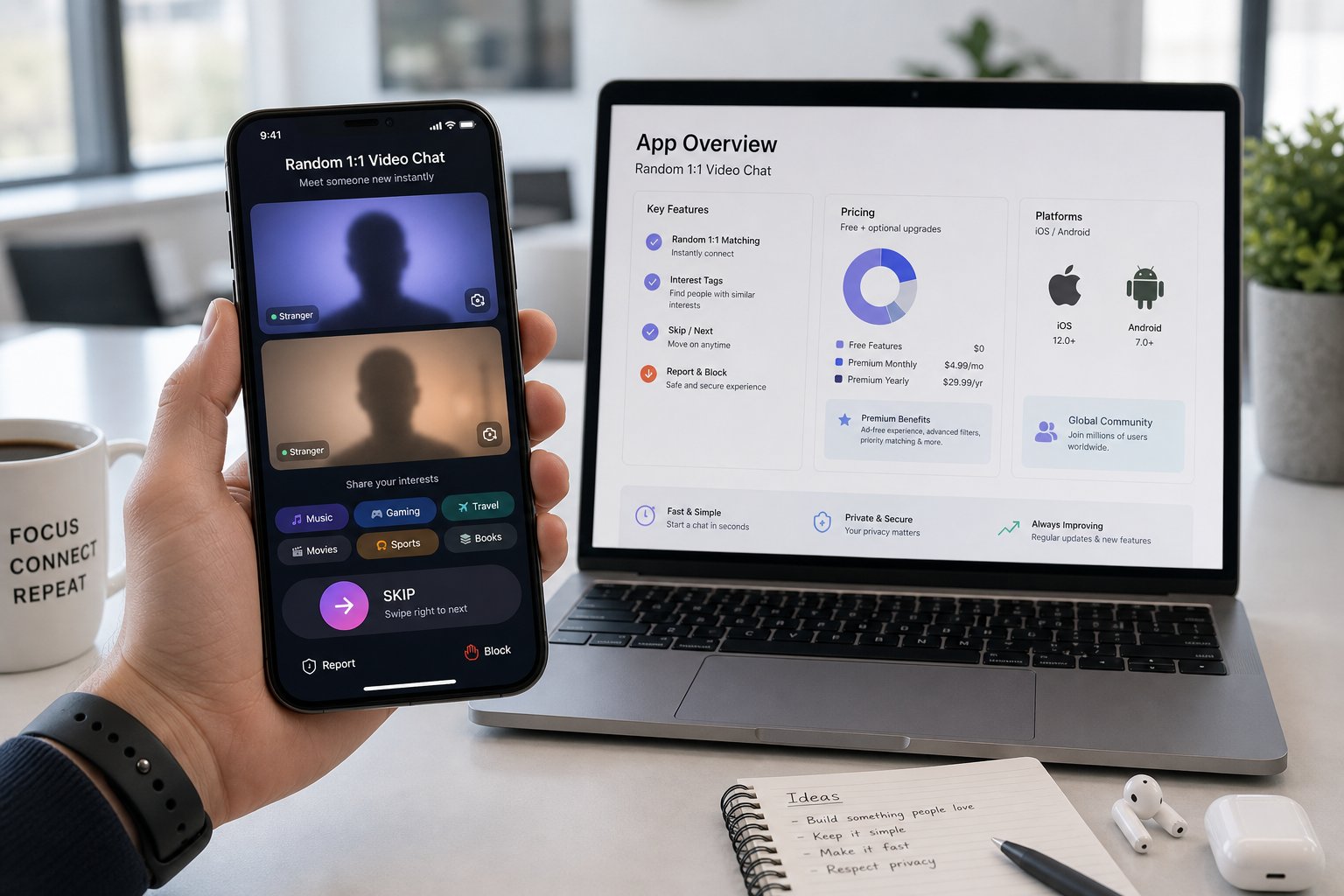
Monkey is a random video chat app built around quick 1:1 conversations. You swipe/skip fast, match with strangers, and keep going until you find someone you actually vibe with. The big idea is speed: minimal friction, lots of short chats.
How it works (in practice):
- You open the app, allow camera/mic, and start matching.
- You can add interests to steer matches a bit.
- If the chat’s good, you keep talking: if not, you move on instantly.
Key features (high-level):
- Random 1:1 video chat with quick skips
- Interest-based matching (lightweight, not perfect)
- Basic report/block tools
- Social-style feel (more “app” than “website”)
Pricing: Monkey is typically free to start, with optional paid upgrades (varies by region/version). Expect monetization like boosts, premium filters, or similar add-ons.
Platforms: Primarily mobile-first (iOS/Android). If you want a more “open in browser and go” experience, Monkey can feel a bit app-y compared to web-first random chat sites.
Evaluation Criteria (Safety, Match Quality, Moderation, Ease Of Use, Cost, Privacy, Community)

For this Monkey app review, we judged it like we judge any random video chat platform on VibeCam: not by hype, but by what actually matters when you’re face-to-face with strangers.
What we care about (and why):
- Safety: How exposed you are to harassment, explicit content, or scams.
- Match quality: Do interests/language intentions translate into better conversations?
- Moderation: Are reports meaningful, and does enforcement feel real?
- Ease of use: How fast you can get to a decent chat without wrestling settings.
- Cost: Free value vs. paywalls that quietly ruin the experience.
- Privacy: What you’re revealing by default (and what you can control).
- Community vibe: More friendly + curious, or more chaotic + thirsty.
We’re also weighting this toward language practice and cultural exchange, because that’s where Monkey can shine, if the environment supports it.
Setup And First-Time Experience (Onboarding, Permissions, Account Requirements, Friction Points)

Getting started on Monkey is quick, but it’s not “no-strings-attached” in the same way some browser-based alternatives are.
Onboarding basics:
- You’ll be prompted for camera and microphone permissions immediately.
- The app strongly encourages you to move fast, less profile-building, more “start chatting.”
Account requirements: Depending on the version/region, Monkey may push for a light account setup. Even when it’s minimal, it’s still more friction than sites where you can just click “Start.”
Common friction points we noticed:
- Permissions pressure: You can’t really evaluate the vibe without granting camera/mic.
- Context mismatch: If you join for language exchange, you may need to “set the tone” fast, because many users are there for casual banter.
- Early skips: First sessions can feel like speed-dating with zero small talk. It improves once you learn how to open (we like: “Hey, quick one: English/Spanish practice?”).
Overall, setup is easy. The harder part is training your feed (through interests + behavior) to find the kind of conversations you want.
Matching And Conversation Quality (Filters, Interests, Language Practice Potential, Regional Reach)

Monkey’s matching is fast, but it’s not magically precise. Think of interests as a gentle nudge, not a guarantee.
Filters & interests:
- Interests can reduce total randomness, but you’ll still get plenty of “why are we matched?” moments.
- If you’re using Monkey for language practice, add interests like language learning, travel, culture, study, and the language name (when available).
Language practice potential:
- Best for: short bursts, pronunciation, casual slang, confidence on camera.
- Not great for: structured tutoring, consistent partners, or long sessions with a plan.
What works surprisingly well is the “micro-rep” style: 2 minutes with 10 different people can boost speaking comfort faster than one long awkward call.
Regional reach: You can run into people from everywhere, but distribution depends on time of day and app popularity in your region. If you want tighter regional control or “only this country,” Monkey may feel a bit limited versus platforms built around location filtering.
Bottom line: match quality is hit-or-miss, but the hits can be genuinely great, especially if you lead with a clear intention.
Safety, Moderation, And Community Standards (Reporting, Age Controls, Content Risks, Enforcement)
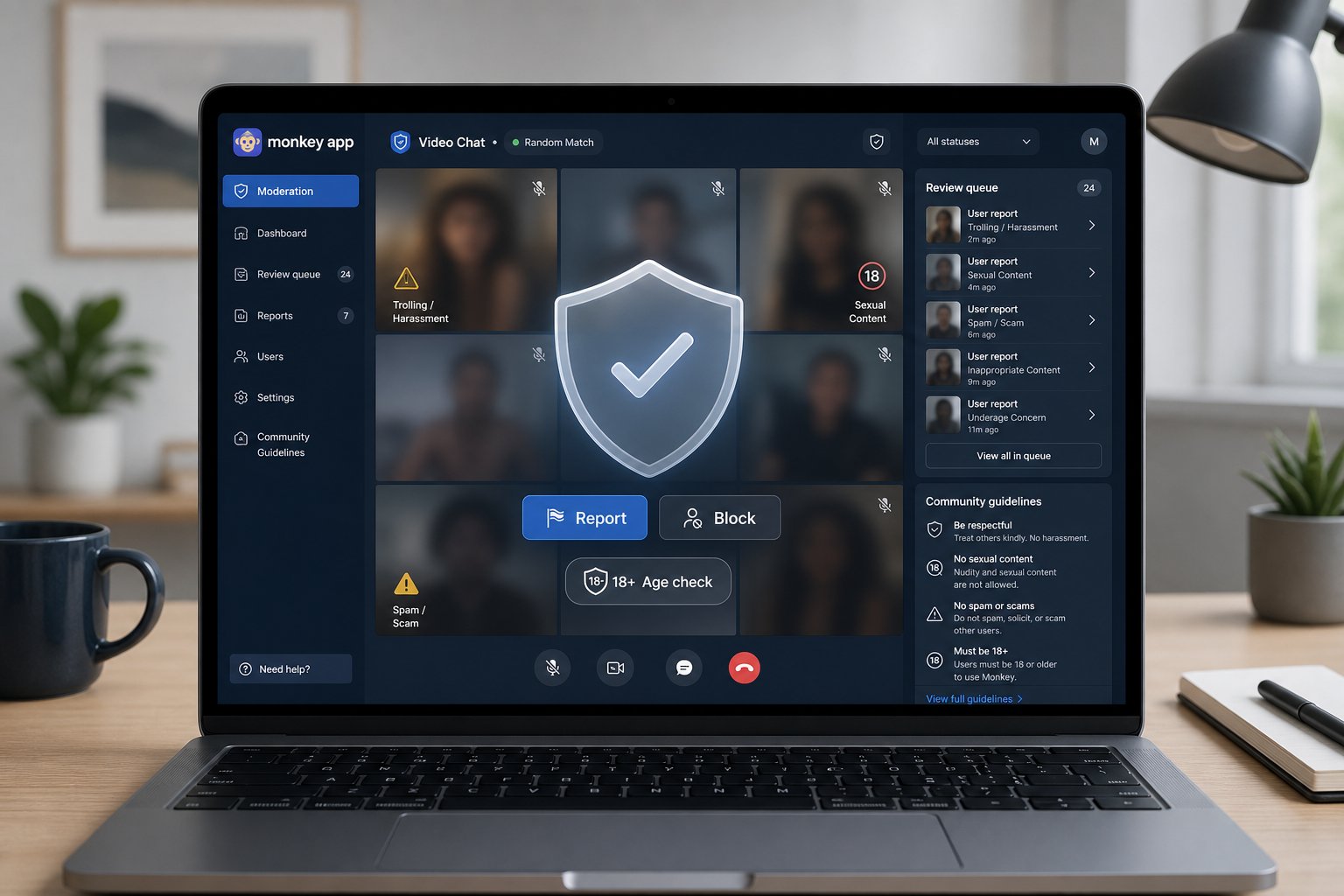
Let’s be real: any random video chat app has risk. Monkey is no exception.
Reporting & blocking:
- You can typically report and block users.
- The real question is enforcement speed and consistency, which is hard to verify from the outside.
Age controls: Monkey has had ongoing public conversation around age-appropriateness. If you’re an adult looking for safe, calm chats, you should still assume you’ll run into immature behavior sometimes.
Content risks you should expect:
- People trying to shock/troll
- Sexual content (even when it’s not welcome)
- Spammy “add me” social plugs
.Inline image: Monkey app
Caption: On random video chat apps, your best safety tool is a mix of platform reporting plus your own boundaries.

Our take on enforcement: Monkey feels like it has standards, but random video chat is reactive by nature, you often see the problem before moderation can catch it. So we treat Monkey as “usable with guardrails,” not “hands-off safe.”
If safety is your #1 priority, we’d steer you toward more curated platforms (we’ll cover that in the alternatives section) or use VibeCam to find options with stronger moderation reputations.
Privacy And Data Handling (What You Share, Recording/Screenshots, Tracking, Best Practices)
Privacy is where people get careless, because it feels like a fleeting conversation. But video chat is high-signal: your face, your room, your voice, your accent, your reactions.
What you may share (often without noticing):
- Your face and surroundings (posters, mail, reflections, yeah, it happens)
- Personal details you say out loud (school/work/city)
- Social handles if you give them
Recording & screenshots: Even if Monkey doesn’t “promote” recording, assume anyone can screenshot or screen-record. That’s just reality on phones.
Tracking expectations: Like most apps, expect standard analytics and device-level tracking. We’re not going to pretend any social app runs on vibes alone, ads and telemetry are common.
Best practices we actually use:
- Use a neutral background (blank wall beats bedroom every time).
- Don’t share your full name, exact location, or other accounts.
- If someone pushes to move platforms fast, skip.
- Consider a separate email/username for chat apps.
If you want a more “drop-in, less account footprint” approach, some browser-based alternatives listed on VibeCam can feel cleaner for privacy-minded users.
User Experience And Performance (Video Quality, Stability, Battery/Data Use, Accessibility)
Monkey’s mobile-first design is smooth when your connection is solid, but it can chew through battery and data like any video app.
Video quality & stability:
- Quality is usually “good enough” for casual chat.
- Expect occasional lag, audio desync, or graininess at peak times.
Battery/data use:
- Video chat is heavy. If you’re on mobile data, you’ll feel it.
- We recommend Wi‑Fi for longer sessions, and lowering screen brightness if you’re doing a 30+ minute streak.
Ease of use:
- The UI is built for speed: match → talk → skip.
- That’s great for spontaneity, less great if you want controls and calm pacing.
Accessibility: Random video chat apps rarely nail accessibility. If you need captions, strong text-based controls, or screen-reader-friendly flows, Monkey may not be the best fit.
Overall UX: fast and modern, with the usual tradeoff, less control, more momentum.
Pros And Cons (The Clear Wins Vs. The Real Tradeoffs)
Here’s the no-BS breakdown from our Monkey app review.
| Pros (what Monkey does well) | Cons (what you’ll deal with) |
|---|---|
| Very fast matching, easy to get conversations rolling | Match quality varies wildly session to session |
| Fun for casual cultural exchange and quick language reps | You may see trolling/sexual content even though rules |
| Mobile-first UI feels familiar and quick | Privacy risk (screenshots/recording are always possible) |
| Interests can help a bit | Controls/filters can feel limited vs. more curated platforms |
| Great “Omegle-ish” energy without needing a desktop | Can be battery/data heavy on long runs |
What we’d tell a friend: Monkey is worth trying if you’re chasing quick, spontaneous conversations, especially for language confidence. But if you’re easily annoyed by randomness (or you want a safer, calmer environment), you’ll burn out fast.
Alternatives And When To Use Vibecam.site Instead
Monkey isn’t the only game in town. Depending on what you want, these alternatives can be a better fit:
If you miss Omegle-style simplicity
- Chatroulette: Classic random video chat vibes: still very hit-or-miss.
- OmeTV: Popular globally, often stronger for casual international chats.
If you want more control (filters/intent)
- Camsurf: Cleaner UI and generally more “mainstream friendly.”
- Emerald Chat: Community features and a slightly more structured feel.
When to use VibeCam.site instead
If you don’t want to download three apps just to figure out what’s decent, use VibeCam as your shortcut. We curate random video chat options by vibe (safer, more social, more spicy, etc.), so you can pick a platform that matches your goal.
And if you’re comparing platforms right now, check out our full review on VibeCam for the alternatives above, we break down safety, filters, and who each site is best for.
Verdict And Recommendation (Who Should Use Monkey, Who Should Skip, Overall Rating)
.Inline image: Monkey app
Caption: Our verdict comes down to one thing: do you want fast spontaneity, or controlled, safer matching?

Our rating: 3.7 out of 5 stars ⭐⭐⭐⭐☆
Who should use Monkey:
- Adults who want quick, low-commitment video chats
- People doing language practice who don’t need structure, just reps
- Anyone craving casual cultural exchange and doesn’t mind skipping a lot
Who should skip Monkey:
- If you want a reliably safe environment with minimal explicit/troll risk
- If you want repeat partners, scheduling, or long-form conversations
- If privacy anxiety is already high (random video is inherently leaky)
Recommendation: Monkey is worthwhile as a “high-energy” random chat app, best used in short sessions, with boundaries. If you want something more curated or safer by design, start on VibeCam and pick a platform built for your specific vibe.
FAQ
Is Monkey safe to use in 2026?
It can be reasonably safe if you use common-sense boundaries (don’t share personal info, skip fast, report/block). But it’s still random video chat, expect occasional bad behavior.
Is Monkey good for language practice?
Yes, for confidence and real-world speaking reps. It’s not a tutoring app, but it’s great for quick conversations with different accents and personalities.
Do you have to pay for Monkey?
You can usually start for free, but the app may offer paid upgrades. If you hit paywalls that affect your experience, consider alternatives listed on VibeCam.
What should you never do on Monkey?
Don’t share your full name, exact location, school/work details, or social accounts. And don’t stay in chats that feel pushy, just skip.
What’s the best Monkey alternative?
If you want a similar vibe, try OmeTV or Chatroulette. If you want more structure, Emerald Chat is often a better experience.
Want to explore safer or more purpose-built random video chat options? Head to VibeCam.site and browse our curated picks (and yep, check out our full review on VibeCam for the top Monkey alternatives).
Monkey App Review FAQs
What is the Monkey app and how does it work for random video chat?
Monkey is a mobile-first random 1:1 video chat app where users quickly swipe through strangers for brief conversations. You enable camera/mic, add interests to guide matches, and either keep chatting or skip instantly to find a good vibe.
Is Monkey safe to use for language practice and cultural exchange in 2026?
Monkey can be reasonably safe if you use common-sense boundaries like not sharing personal info and reporting/blocking bad users. However, as a random video chat platform, expect occasional inappropriate content and immature behavior.
Does Monkey offer paid features, and do you have to pay to use it?
Monkey is typically free to start, with optional paid upgrades like boosts or premium filters. While you can use it without paying, some paywalls might affect your experience depending on your region and app version.
How good is Monkey for language practice compared to structured tutoring apps?
Monkey is great for quick, casual language practice to boost speaking confidence, pronunciation, and slang through multiple short conversations. It’s not suited for structured tutoring or long sessions with consistent partners.
What privacy risks should I be aware of when using the Monkey app?
Monkey involves sharing your face, voice, and surroundings, which can be recorded or screenshotted. Avoid sharing personal details aloud, use neutral backgrounds, and understand standard app tracking is in place to protect your privacy as much as possible.
What are some recommended alternatives to Monkey for safer or more controlled random video chats?
Alternatives like OmeTV and Chatroulette offer similar vibes, while Camsurf and Emerald Chat provide more structure and moderation. For safer, curated options tailored to your preferences, consider visiting VibeCam.site to explore vetted platforms.